
There are two ways to recover your license details for iShowU Instant: on the website, or in the app itself.
Recovering license details on the website
- Go to the lost registration key page on the shinywhitebox website, enter your email address, and click the button.

- Check your email to receive a list of all your purchases and license details.

Recovering license details in the app
- Open iShowU Instant and select Recover License Details from the Help menu.
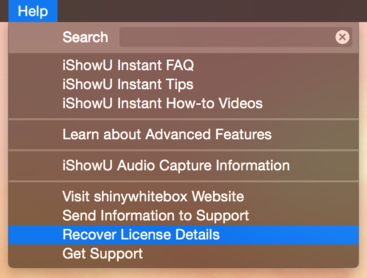
- Enter your email address and click Submit.

- Check your email to receive a list of all your purchases and license details.

Comments
0 comments
Please sign in to leave a comment.